Applies to FlexLink Design Tool
Problem description
After pressing File->Print a pop-up window with an error message is displayed:
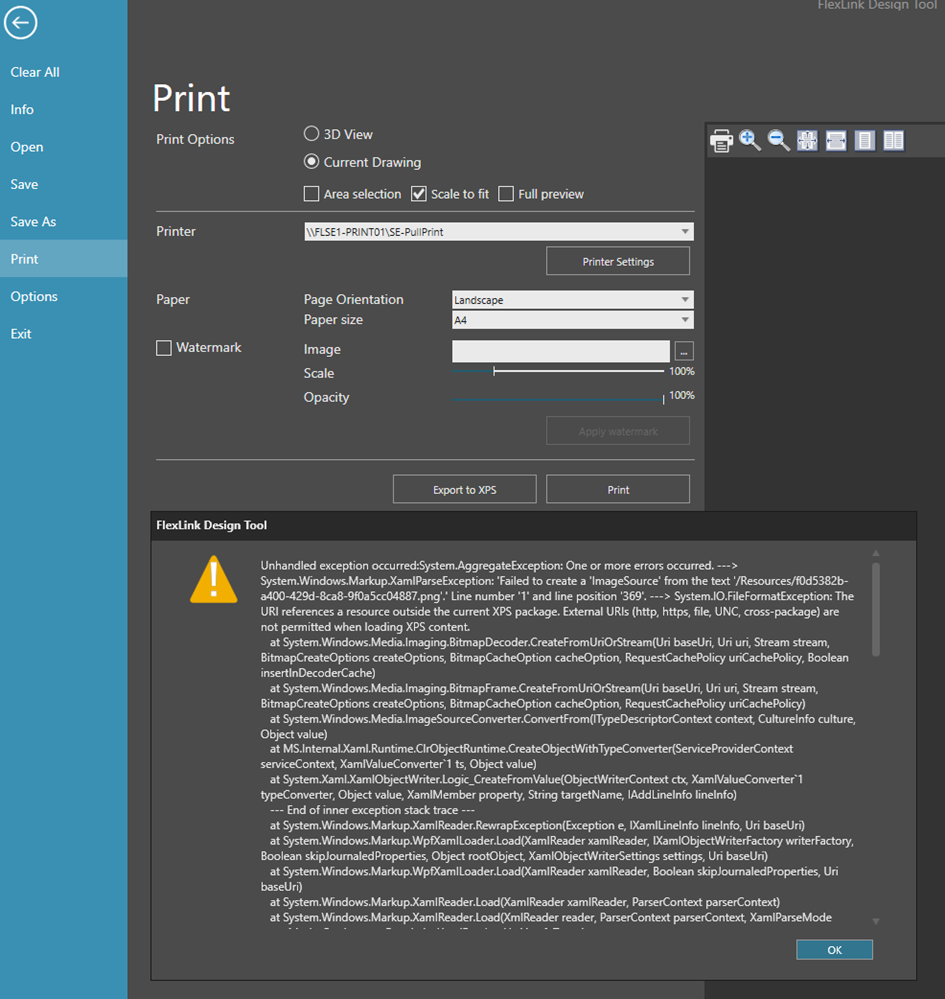
The cause behind this problem is a Windows security fix that was pushed out in August. All users with an updated Windows system are affected. These are the related Microsoft patches:
Windows 11 24H2 → KB5120710
Windows 11 25H2 → KB5120708
Windows 11 23H2 → KB5120713
Windows 10 .NET updates, including KB5120701/KB5120709
Workarounds
Preferred work around:
Export to DWG, import in a CAD tool and finally print (to PDF or paper)
3D-world:

Drawing:

Secondary alternative:
Create a ServiceNow ticket for IT support at https://coesiaprod.service-now.com/sp.The Windows patch will be un-installed temporary and will make it possible to print.
Note! Only for internal FlexLink users and urgent situations.
Long term solution
The Engineering Tools development team is working on finding a permanent solution and restore the print feature.
Was this article helpful?
That’s Great!
Thank you for your feedback
Sorry! We couldn't be helpful
Thank you for your feedback
Feedback sent
We appreciate your effort and will try to fix the article