In Robot-Config click User icon in top-right corner, then select 'LICENSE', it will open license form:
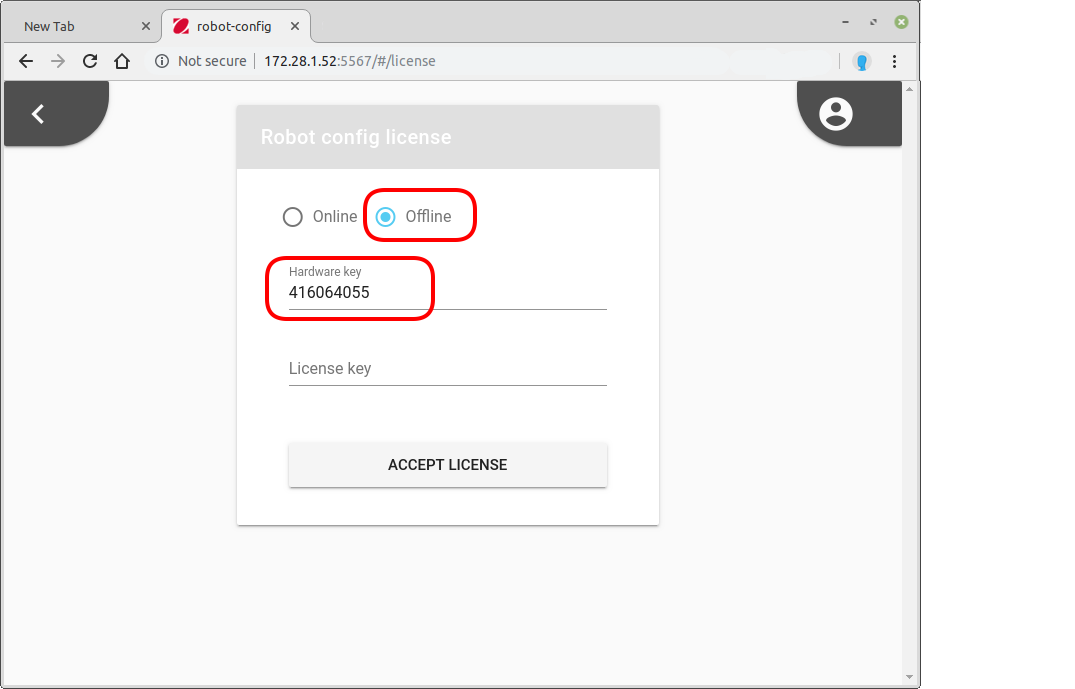
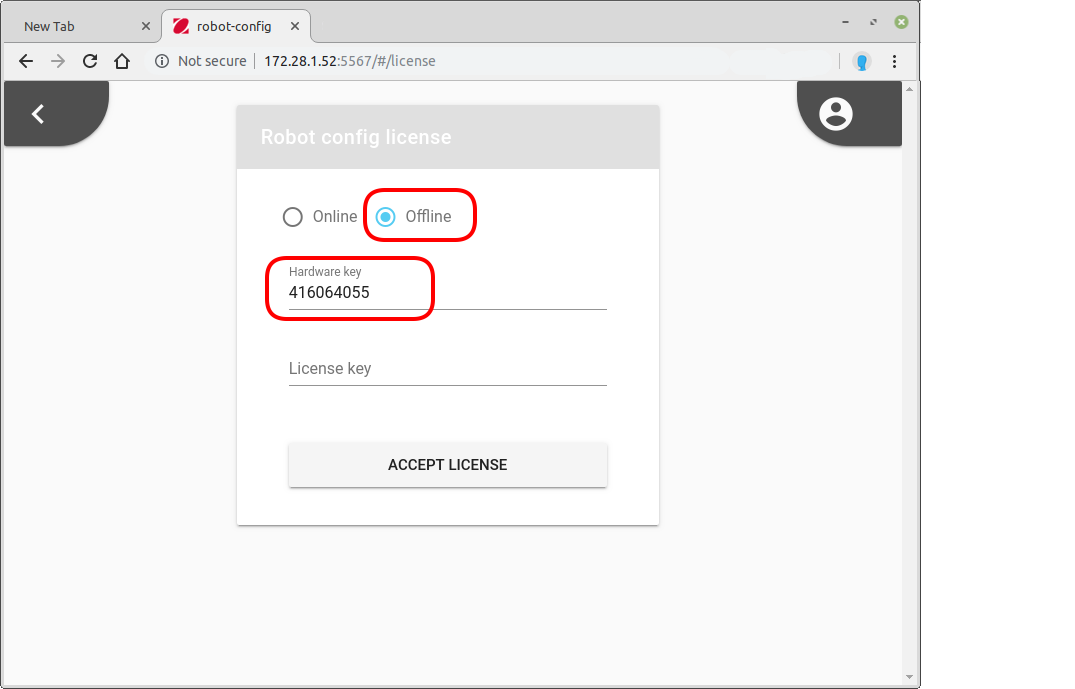
Click 'Offline' and copy 'Hardware key' to clipboard.
Contact to FlexLink support via e-mail or telephone, providing the Hardware key you have copied.
You will get License key you should write into 'License key' field in the form.Click button 'ACCEPT LICENSE'
Was this article helpful?
That’s Great!
Thank you for your feedback
Sorry! We couldn't be helpful
Thank you for your feedback
Feedback sent
We appreciate your effort and will try to fix the article